I was kinda amazed at how well my .sh script on Linux would work perfectly on Windows 7.
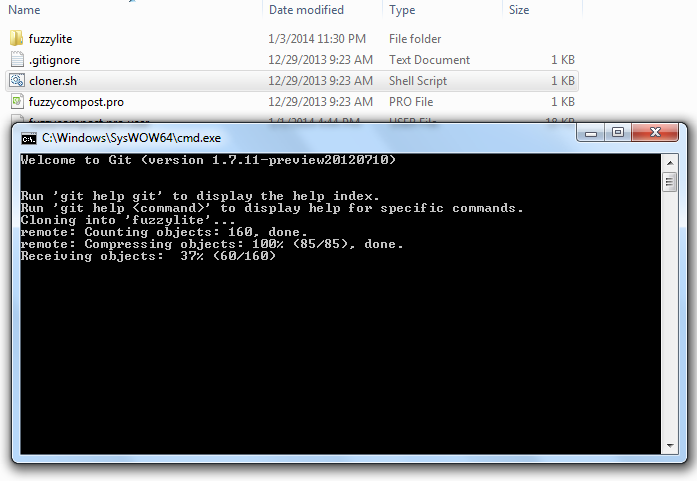
Firstly, i had written a script to clone my dissertation files using git. I have a file named “cloner.sh”
#!/bin/sh
git clone git@example.com:project1.git
git clone git@example.com:project2.git
git clone git@example.com:project3.git
I just double-click on it from Windows 7 and my projects get cloned ASAP. On Linux, i had to mark it as executable before it would run.
I was more amazed when i tried to write a script for compiling our report on LaTex. I installed TeXworks but to compile the project we have to do about 6 -8 clicks. I wrote a compilation script and named the file as “compiler.sh”
#!/bin/sh
pdflatex main
bibtex main
pdflatex main
pdflatex main
My friend on Windows 7 pulled the file, double clicked on it. And lo! The PDF was generated correctly. It even auto downloaded missing packages as if it were run from TeXworks. Awesome! (Psst. The Linux one doesn’t do it on the fly -_-)
I added some lines to clean the mess the compilation process usually leaves
rm *.aux

rm *.bbl

rm *.blg

rm *.lof

rm *.log

rm *.lot

rm *.toc
Once again, magic! The auto-generated files were swept away.
But how is that possible?
Does Windows also use the same commands as Linux does?
I managed to get a screenshot of the window that popups for few seconds to display the output. Git also shows here. Weird nan?
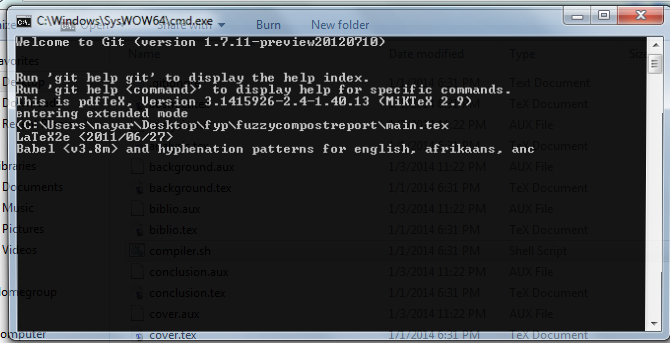
I guess the “Linux” environment came along when i installed Git bash on my PC and my friend’s. Anyways, i don’t have much time to know how it just works. I’m just happy that it’s working for me and my mate 😀