Settling down with Kubuntu

I finally managed settled down on Kubuntu 11.04 after lots of unsuccessful attempts with Ubuntu 11.04. I can say i have an almost perfect dual booting system with Windows 7 and Kubuntu 11.04 now.:

  • My Music, Movies, Documents are stored on a separate 200GB partition which can be accessed by both OS. I made the drive auto-mount in Kubuntu by modifying /etc/fstab file.
  • My Windows 7’s Firefox bookmarks, saved passwords and browsing history are now synchronized to my Kubuntu’s Firefox using using Firefox sync. Its really great. The browser transition is really smooth 😀
  • My Kubuntu bit torrent client (KTorrent) can continue downloading and seed a torrent initially started from Free Download Manager(FDM) on Windows 7. However FDM doesn’t resume the download where KTorrent leaves it. It re-downloads the chucks again. Hope FDM would fix this issue later. Else i might switch to another bittorrent client.
  • My Desktop wallpapers are shuffled from the same picture directory on both OS.
  • I changed my Kubuntu Apache localhost directory to one created by XAMPP on Windows 7. That’s the main reason that allowed me to finally settle down on Kubuntu. The default directory is located at “/var/www/”. This location is very “manhoose” (inauspicious/evil). Despite being an administrator, you can’t freely save or edit anything there without using the ‘sudo’ command lines in the terminal. This really sucked.
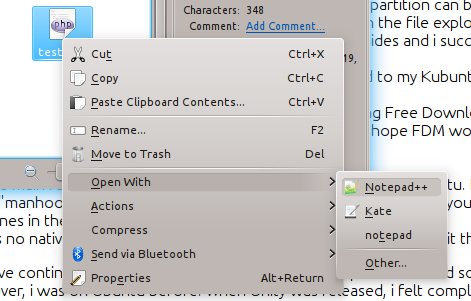
  • I use the same editor i used on Windows i.e. Notepad++. The editor does not run natively on Linux and you would have to use Wine emulator.
If i didn’t have such a Dual Boot system, i would have continued to use Windows 7 as i have read somewhere that Change just for the sake of Change is counter-productivity. Moreover, the Ubuntu Nattay Narwhal’s Unity just pissed me off. *sigh*
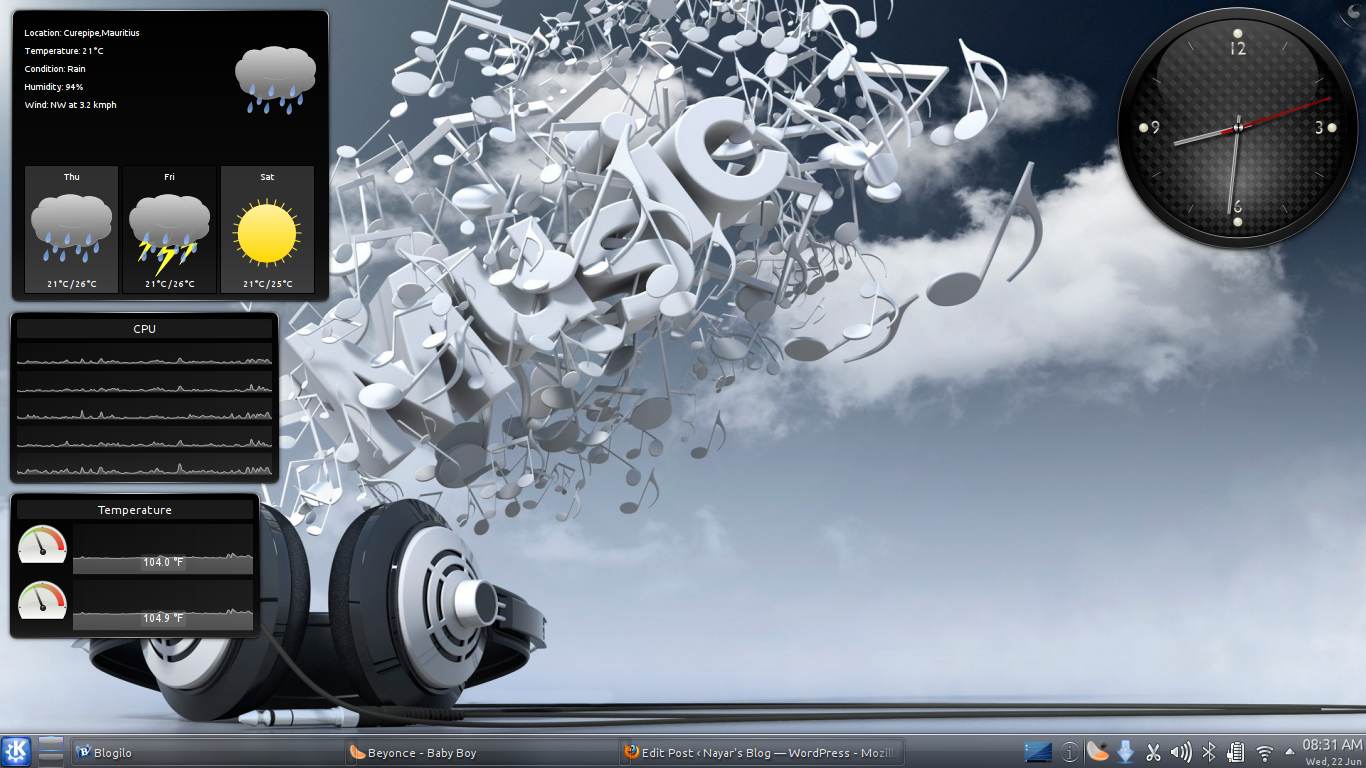
Anyways, Kubuntu FTW!!!

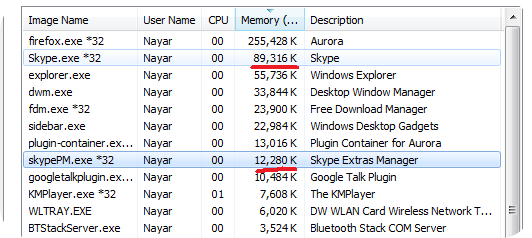
Skype 5 RAM usage

Most of you perhaps have Skype installed and leave it running in background. Well, did you know that in the idle state, it eats more than 100 MB of your precious RAM?

Yeah, thats just for waiting an chat or call!

eBuddy, Nimbuzz or Trillian are all-in-one programs which allows you to connect to multiple services like Google talk, Facebook Chat, Yahoo at the same time. They once used to work with Skype too. But Skype changed its policy on 2010. You must obligatorily have the stupid Skype app installed and running so that such third party apps can use Skype services. You can read more on Nimbuzz’s blog post:  http://blog.nimbuzz.com/2010/10/25/what-the-skypenimbuzz-breakup-means-to-you/

Anyways, i am downgrading my skype to version 3.8 which is much lighter and smoother. You can get it here

Do you think Ben Laden was killed by USA on May 2011?

Lots of people since thought Ben Laden was already dead years ago. But the recent announcement of the USA president My Barack Obama proved them all wrong. Since we are talking about proofs, here are the proofs that this incident really took place:-

1. We love Barack Obama!!!

2. Barack Obama cannot be wrong.

3. If ever it happens that Barack is wrong, see proof 2.

4. Mr Barack Obama officially announced that his team killed Ben Laden. This is the greatest proof.

5. USA teams have confirmed the death through DNA tests too.

6. Why don’t we have the dead body. Because Barack’s team do not want at any cost to hurt the feelings of people. They thought it is best to throw him in the sea as they consider it a custom. This proof further strengthens proof number 3 which in turns strengthens proof number 2 which in turns confirms proof number 4.

7. USA are considered as God by some. If USA couldn’t capture his biggest ‘enemy’, it would be really an embarrassing fact. It is better to believe USA killed Ben Laden. Give benefit of doubts wherever you can for the benefit of the world

I guess i put some irrefutable arguments that indeed USA killed Ben Laden. Counter my arguments if you can!?

Anyone wanna watch "Kyunki Saas Bhi Kabhi Bahu Thi" with me on my new 42" TV? I miss that serial soooo much. Please bring some snacks and drinks along 😛