Secure Gate or Secure Safe?

Me, Nadim and Ish were having a little talk about how to store passwords in databases.

Traditionally, passwords for a user are hashed using an algorithm such as MD5 and SHA-1 and then the hash gets stored in the database. Since hashing is a 1 way function, you cannot have a function MD5-reversed for example in which you pass in the hash and it will give you the original password. However, using rainbow tables we can try to find the original password.

Another issue with this is that if an attacker gains access to the database, if 2 persons use the same passwords, the hashes will be the same.

The use of a salt passwords can help to make current pre-computed rainbow tables. Me and Nadim were this discussing whether each user should have a different salt or not? And should the salt also be stored in database?

I think the most secure way would be to have 1 common salt for all, 1 salt for each user and then run the hashing algorithm to get the hash to be stored in the database. The common salt should be stored in a text file so as the attacker having the database cannot have the common salt unless he has access to the server file-system itself.

Enter Ish Sookun
Ish was of opinion that if your system is secure enough, there is not need to secure and encrypt the database.

If the database has been configured to accept only the IP of the web server, all files have been rightly chmodded, only the needful php libraries are installed, if all unused ports are blocked correctly, it doesn’t matter whether passwords are stored even in plain text.

He says what’s the point of having a secure safe which cannot be broken if your front gate is open, doors are open, you have no camera in your house. Eventually, the ones who steal your safe will use grinders to open it!

On another extreme, if you have the most secure gate, it doesn’t matter if you walk naked inside and leave your money scattered everywhere on the floor since no one can get past your gate.

Conclusion
I don’t think all companies can have the funds to hire a System Administrator with the caliber of Ish Sookun. If all do, there is only 1 Ish.

Security should be multi-layer IMO. Because we never know when your main gate might be breached.

There was a time the Great Wall of China could be used to defend. But since drones and satellites were invented, all walls are basically useless nowadays.
Kubuntu 15.04 Beta 1. WiFi no use

So, decided to test run Kubuntu 15.04 for having latest Plasma desktop. Install went smooth alongside my Kubuntu 14.10 and Windows 8.1.

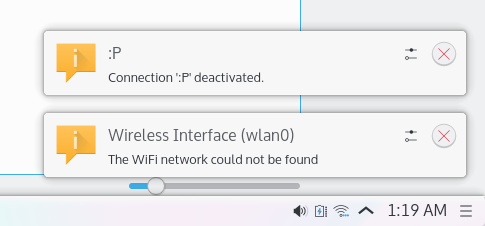
1. Booting into the system, i simply can’t access any of the WiFi either with hidden SSID or broadcasted one. I’d get the following message.

Connectino Deactivated. The WiFi network could not be found

2. The start menu also froze which when force-fully killed, the whole desktop and taskbar was gone leaving only applications open. I could still switch between them by putting my cursor on the top left corner which displays all open apps.

snapshot4

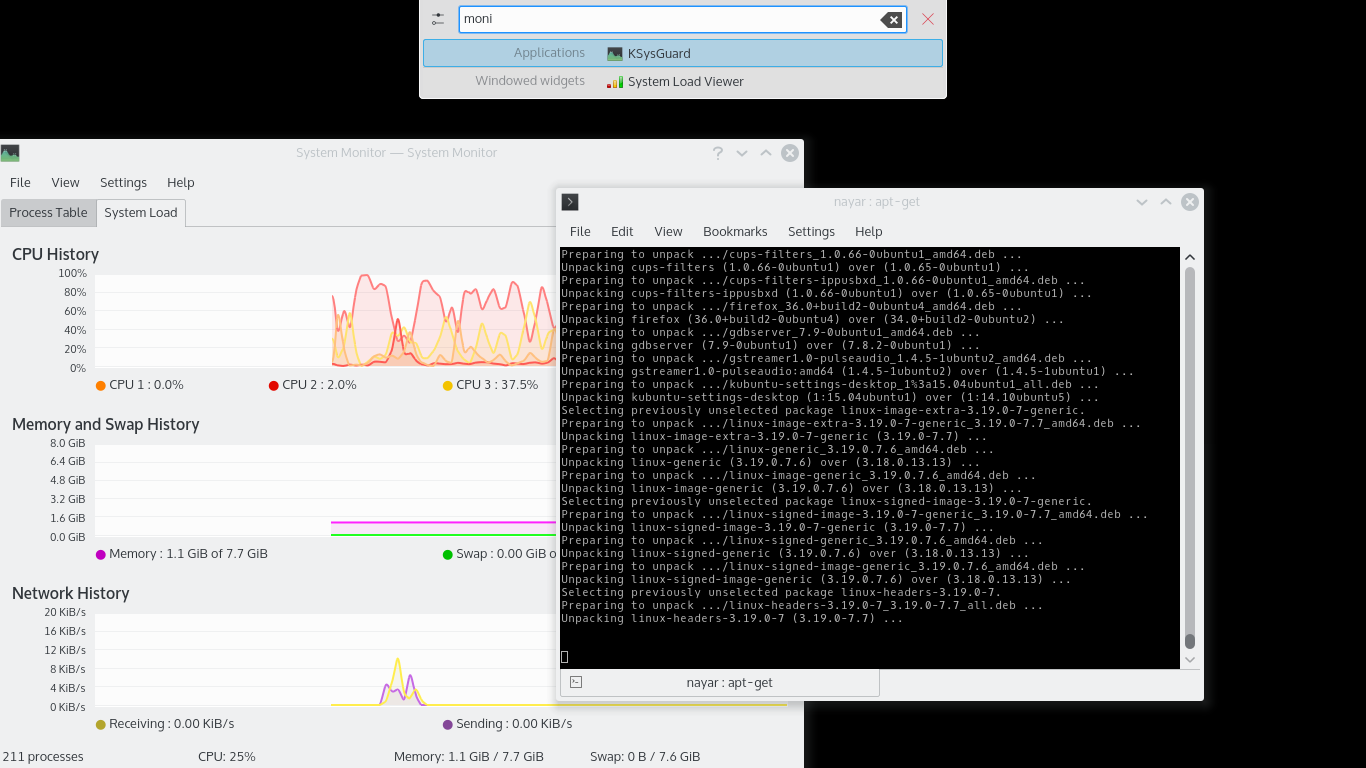
3. I also notice that when running System Monitor (ksysguard) from KRUnner by pressing ALT+F2, the KRunner would not disapear unless i close System Monitor again.

snapshot5

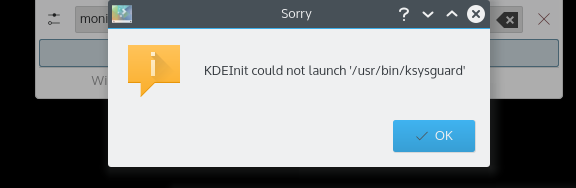
And when I would close it, I’d get this error message then KRunner closes.

snapshot6

Final Notes:
I can say Kubuntu 15.04 is really really fast. Dolphin, System Monitor, Firefox open like in a breeze. It feels like on an SSD. But unfortunately I won’t be able to test more as I can’t get the WiFi to connect ๐Ÿ™

The Timestamp

No one stores age in a database. Age is a derived attribute. We usually store date of birth of someone.

As a noob, I put the dob field as INT(10) in my database. To select e.g. users between 18 – 25 years old, I’d run the following SQL query:

SELECT *
FROM users
WHERE dob <= unix_timestamp(NOW() <= (NOW() - INTERVAL 18 YEAR) AND dob >= unix_timestamp(NOW() - INTERVAL 25 YEAR)

It worked fine until I realized that it would not work for people who are born before 1970. PHP’s strtotime() function was returning a negative number as timestamp which is correct but the DB would refuse to put it since it was INT.

After some more googling, I came to know that I should have used DATE type.

After that, everything gets solved.

SELECT *
FROM users
WHERE dob <= (NOW() - INTERVAL 18 YEAR) AND dob >= (NOW() - INTERVAL 90 YEAR)

The advantage now is that it can be used to POST with HTML5 forms and used as value directly.

Mass Importing into SQL Database from .csv File

If you have to import let’s say for example Country Name and County Code into a database from a CSV file like this: (source)

Code,English Name,French Name
AD,Andorra,Andorre
AE,United Arab Emirates,ร‰mirats arabes unis
AF,Afghanistan,Afghanistan
AG,Antigua and Barbuda,Antigua-et-Barbuda

The database schema is as follows:

country_code {country_code,country_name}

In PHP, you could have done:

(Method 1)

$file_handle = fopen(dirname(__FILE__) .
               "/countries.csv", "r");
while (!feof($file_handle) ) {
	$line = fgetcsv($file_handle, 1024);
	$line[1] = mysql_real_escape_string($line[1]); 
	$sql = "INSERT INTO country_code 
	(country_code,country_name) 
	VALUES ('{$line[0]}','{$line[1]}');";
	$db->query($sql);
}
fclose($file_handle);


But it takes about 3 seconds to import the CSV attached. If you have a file with lets say with 50,000 records, it might take hours to run. It is really annoying to have Core i7 computers with lots of RAM and yet you run a process which takes hours to run using only 0 – 1% CPU.

I/O from the Hard Drive is limiting the speed tremendously as each time a record is being read, the HDD is accessed, MySQL then accesses the HDD to save and so on. Even a Solid State Drive (SSD) doesn’t solve the problem (I tried. Still takes hours).

I had to find a way to load a somewhat big chunk of the file into memory then execute the insert query for every 1000 records. I came up with the following code:

(Method 2)

$file_handle = fopen(dirname(__FILE__) 
	. "/countries.csv", "r");
$init_sql = "INSERT INTO country_code 
	(country_code,country_name) VALUES ";
$sql = $init_sql;
$count = 1;
$i = 0;
while (!feof($file_handle) ) {
	$line = fgetcsv($file_handle, 1024);
	$line[1] = mysql_real_escape_string($line[1]);
	$sql .= "('{$line[0]}','{$line[1]}'),";
	if($count++ >= 1000){
		$i++;
		$count = 0;
		$sql = rtrim($sql , ',');
		$sql .= ";";
		$db->query($sql);
		$sql = $init_sql;
	}
}
$sql = rtrim($sql , ",");
$sql .= ";";
$db->query($sql);
fclose($file_handle);

Method 1 exec time: 3.0624158382416 s
Method 2 exec time: 0.010763883590698 s

Method 2 is 284 x faster

The import time is considerably improved. According to my benchmarks, it is 270-285x faster.

I was once importing US ZIP codes in a database. It contained between 43k records. The second method allows importing it in less than 5 seconds ๐Ÿ˜‰

Activate WiFi 802.11n on your Orange Livebox

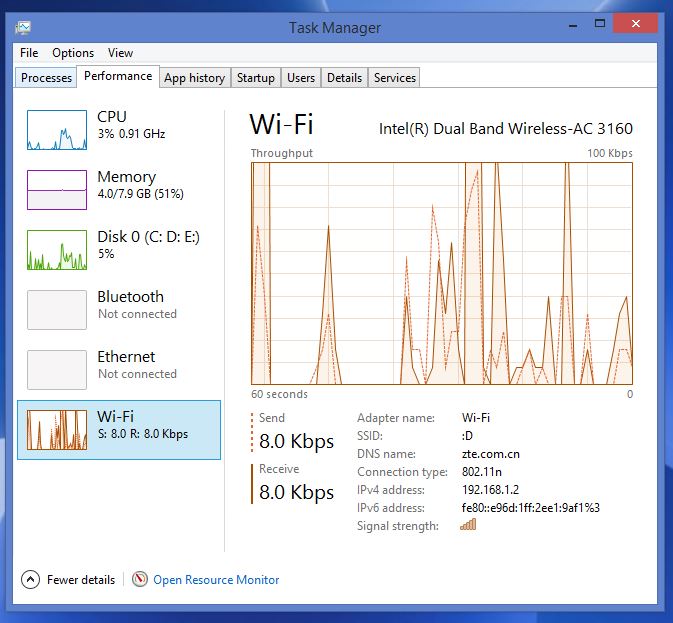
Going in Windows Task Manager > WiFi, i noticed i was connected using 802.11g despite both my laptop (Dell Inspiron 5547) and my Orange Livebox supports 802.11n.

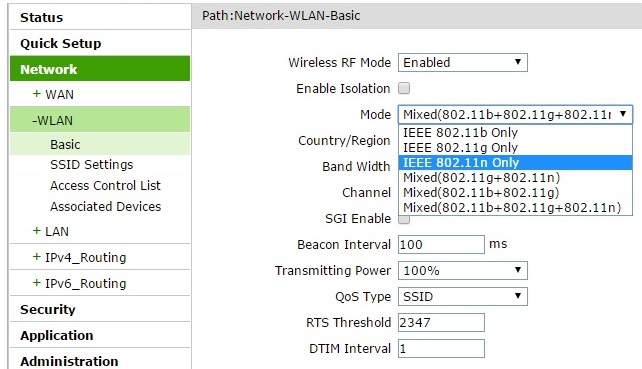
I logged in 192.168.1.1. Tried to set the WiFi to 802.11n only.

802.11g

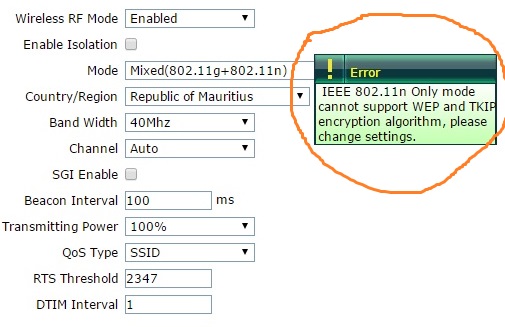
But it wouldn’t allow me to.

802.11gsave

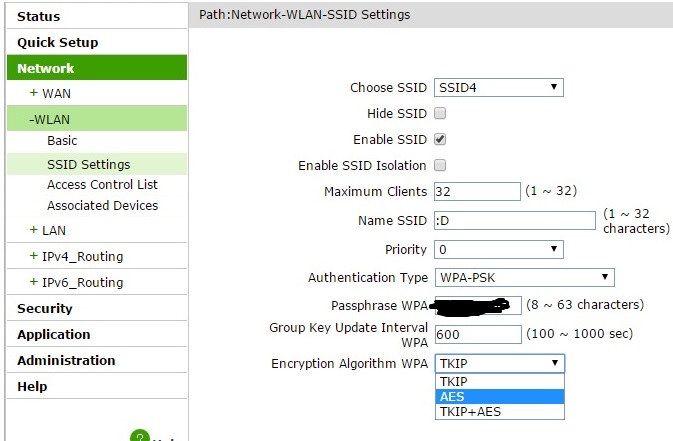
I went on changing the encryption for my SSID.

802.11n_encrypt

And i got connected to WiFI 802.11n ๐Ÿ˜€

802.11n